
The challenge
Manual delineation is the slowest step in the planning pathway — and the one that varies most between
clinicians, between sites, and between one long day and the next.
- Hours of drawing per patient
- Inter-observer variability
- Contouring gates the whole queue
Read the challenge →
Why ContourOAI
Everything conventional auto-contouring makes hard, done differently: browser-based instead of
workstation-locked, fully automatic instead of seeded, your model instead of a shared one.
- No TPS plugin, no vendor lock-in
- Zero user input per scan
- Institution-private custom models
See the comparison →

How it works
From CT upload to ready-to-review RT Structs in five steps — inside the DICOM workflow you already have,
with no new hardware and nothing for clinicians to install.
- Upload, queue, infer, review, return
- Batch mode: upload tonight, review in the morning
- Head & neck OARs in under 3 minutes
See the full flow →
Coverage
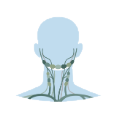
Validated across 225+ structures spanning ten model groups, with a further 92+ structures in active
testing and validation.
- Cranial, H&N, thorax, abdomen, pelvis, skeleton
- 20 atlas-consistent nodal levels
- DSC and volumetric metrics per structure
See everything covered →

Trust & security
Anonymisation happens inside your network, before anything leaves it. A mandatory clinician review gate
means no structure set reaches a plan unchecked.
- On-premises DICOM gateway, TLS 1.3
- Zero patient data retained post-inference
- EU, Mumbai or Hyderabad data residency
Read the trust model →

Questions clinical teams ask
Data residency, regulatory posture, TPS integration, what happens when a contour is wrong, and who owns
a model trained on your cases.
- Does patient data leave our network?
- What stops an incorrect contour reaching a plan?
- Can we run it fully air-gapped?
Read the FAQ →